Top DSD Enhancements That You May Not Know About — Part 2

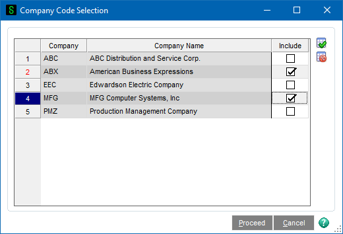
This Multi-Company Enhancement allows for Printing and Posting of the Daily Transaction Register by Company. The menu entry for the Daily Transaction Register by Company has been added to the bottom on the Main menu in General Ledger. A Company Code selection is available. A selection grid will be displayed that displays all company codes, and associated Include checkbox, for companies with DTR records to be updated. The default for all companies will be unchecked. The user will be able to select each company that a Daily Transaction Register will be printed for. “Select All” and “Unselect All” buttons are also available.
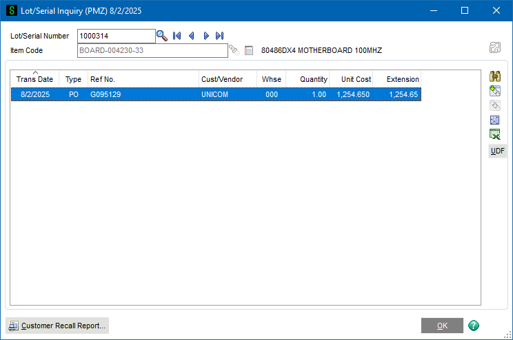
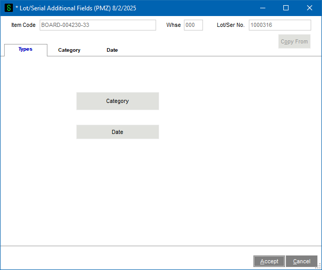
This DSD enhancement allows addition/editing of multiple Lot/Serial UDFs that have already been posted to Inventory. A new UDF Button has been added to Lot/Serial Inquiry that allows for easy editing of multiple Lot/Serial UDFs, as well as Copy From preceding entries. Custom Office can be used to configure the display of the UDF’s.
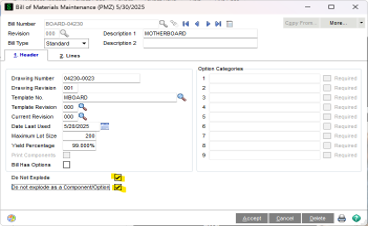
This Production Management enhancement is designed to allow control over Bill of Material subassembly component explosion during Work Ticket Entry. Bill of Materials Maintenance now has a “Do Not Explode” checkbox on BOTH Header and Lines Tab.
In Work Ticket Entry, ‘Explode Bill Subassemblies’ new Control Explosion option must be selected and can be set as a default in Production Management Options. When selected, Work Ticket material requirements will check the new Do not Explode and/or Do not explode as a Component/Option checkboxes in Bill of Materials on the Header tab for all components or the Lines tab component line in the secondary grid for subassemblies.
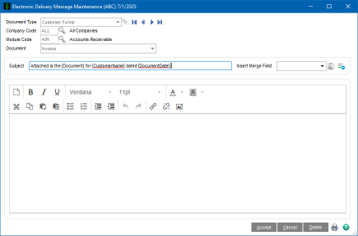
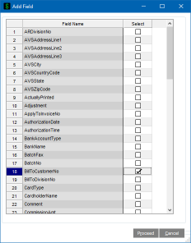
This DSD Enhancement enhances the electronic delivery message maintenance to allow the addition of ‘merge’ fields that are not available in Standard Sage 100. The Electronic Delivery Message Maintenance screen has been enhanced to include a new “Add Field” button. The button will only be available for specific documents such as order, invoice, check, etc. When selected, an “Add Field” panel displays so that you can select additional fields to be included as merge fields.
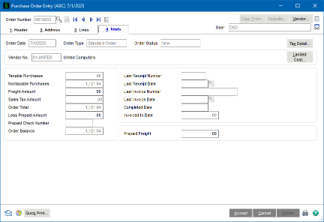
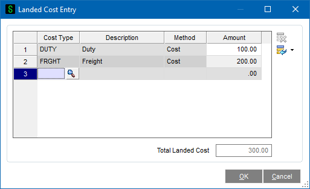
This enhancement to the Purchase Order module adds the ability to add Landed Cost records to standard Purchase Order prior to the creation of receipts. When the receipt is created in Receipt of Goods Entry, the landed cost information will be carried over from the originating Purchase Order. This is perfect for users that know what the Landed Costs will be ahead of the receipt process.
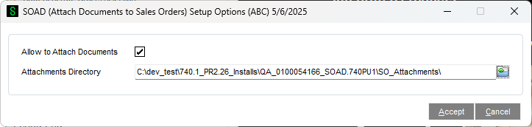
This newest DSD Enhancement allows for Electronic Delivery in Sales Order Printing to automatically attach documents from a pre-defined Attachments Directory. When Electronic Delivery occurs, the selected directory is searched for any file name that starts with the Sales Order Number followed by separate file designation, i.e. 0100012-1.pdf, 0100012-2.pdf, etc.
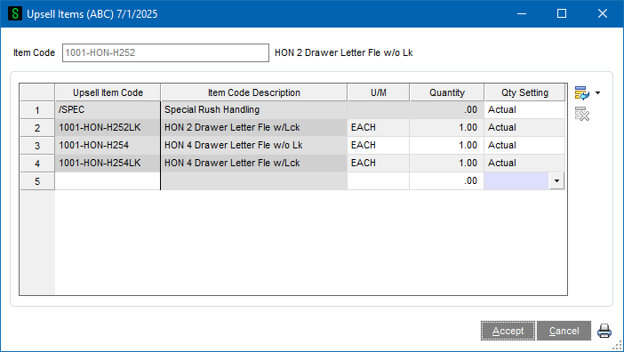
Sales Order Upsell (SOUS) is a great Sage 100 enhancement for companies looking to increase sales by upselling items during order or invoice entry. The SOUS enhancement allows users to define an unlimited number of “Upsell Items” for inventory items. When entering a Sales Order or S/O Invoice, these items will appear as suggested add-on / upsell items that the customer may wish to purchase and can be automatically added to the order.
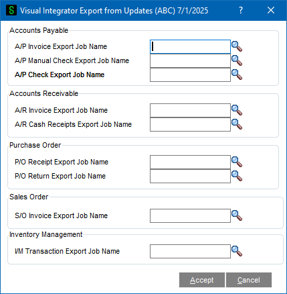
This DSD Solution allows Visual Integrator Exports to be assigned to each Update Program in the AP, AR, IM, SO, and PO modules. After the user selects Yes to Update a specific entry or batch in these modules, the VI Export that is assigned to it will “silently” execute. This enhancement is ideal for users that need to export information on a daily basis.
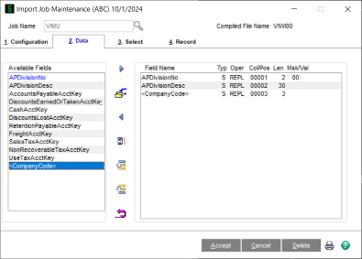
This DSD Solution adds the ability to use a single data set to import into multiple companies, by adding a Company Code selection to the Import Job Maintenance Data and Select tabs. A new <CompanyCode> selection has been added to the ‘Available Fields’ on the Data Tab with selection options of Replace, Assign, and Run Assign. The Select Tab also has the ability to assign a company code. The enhancement is ideal for users that want to import into multiple companies all at once in a single import.
LMRS Rebuild Sorts Scheduler is a new and improved way of rebuilding sort files in Sage 100. With this enhancement, you can now schedule your data rebuilds to occur after hours, with less chance of failure due to file & record locking. Additionally, you can choose which rebuilds need to be performed by Company Code, and you can see more detail on what data was fixed/rebuilt.
Standard Sage 100 already has “Rebuild Sort Files” for each Module, but with some frustrating constraints: rebuilds cannot be scheduled, must be run separately for each module, require all users to be out of the system to allow file locking, and in most cases do not give detailed change audit logs.
To solve these issues, a new “DSD Rebuild Sort Data Setup Maintenance” menu item is added to Library Master / Utilities that allows setup of the rebuilds by Company Code. All rebuild tasks from all Sage 100 modules have been added to this setup, and you can choose which tasks can be performed for that Company Code. There’s an additional field that allows entry of an Email Address to email if any issues occur (such as locked records) when the utility is run.
Once you setup the Company Codes you want rebuild, you can then add the utility as scheduled task, or you can run it immediately from the new menu option in Library Master / Utilities called “DSD Rebuild Sort Data”.
Instead of locking entire tables, the records of the file are read, and if a field needs to be recalculated for that record, only then is the record EXTRACTED to make the change. This temporarily locks just that one record, rather than the entire table. If the record is in use by another process, the records will be skipped, and the log file that is generated will show a Warning that that specific record is locked.
As the rebuild runs, a Log file is generated that includes important information about the rebuild, including date/time of execution, what files were rebuilt successfully, what records were changed/updated, and what records had a failure do to records in use. After the rebuild has completed all tasks, an entry into the Activity Log is written with the Log File attached.
The following enhancements are supported by this Rebuild Utility: