Top DSD Enhancements That You May Not Know About
In Vendor Maintenance / Invoices tab, you now have the ability to select multiple invoices and generate a check payment entry by right clicking and selecting “Generate Check Payment” or pressing the new green dollar sign.
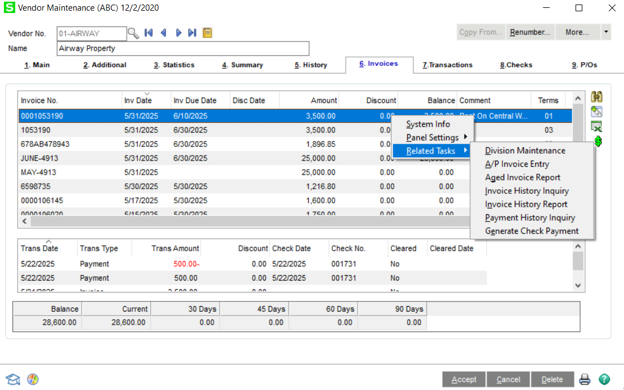
All invoices selected on the Invoices tab will be auto paid in full.
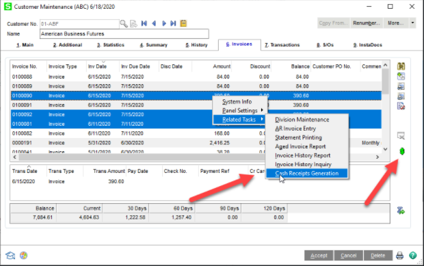
Similar to the APGC Auto Check Payment Generation listed above, this DSD Enhancement allows for quick Cash Receipts of an invoice. In Customer Maintenance / Invoices tab, you now have the ability to select multiple invoices and generate a cash receipts entry by right clicking and selecting “Cash Receipts Generation” or pressing the new green dollar sign.
The ARCC Customer Collections enhancement is designed for those companies that need to track collection history and call history by Customer. Call Codes may be setup and assigned on First, Second, Third, and Final collection call attempts. You can track Collection History, print Call Lists and Collection Letters, and use the Customer Collection dashboard to view and update call history.
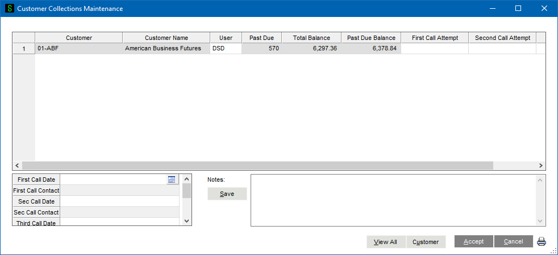
Additional Features include:
- Define Past Due Threshol by Customer
- Assign Collection Users to Customers
- Dashboard displays which assigned customers are past due
- User-defined Collection Call Codes
- Maintain Info on Call Attempts
- Call List Printing
- Collection Letter Printing
- Credit Hold Utility
- Cash Receipts Update to remove Credit Hold
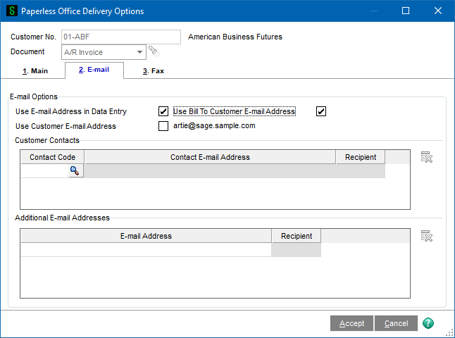
Paperless Office Delivery Options in Customer Maintenance has been enhanced to include a new option “Use Bill To Customer Email Address”. This option is only enabled if the “Enable Bill To Customer Reporting” feature has been enabled in A/R Setup Options. The Bill-To Customer’s email address will be used for all associated Sold-To Customer invoices.
This DSD enhancement is an integration between Sage 100 and Service Trade, using a REST API protocol. It’s the perfect solution for users that do field service and use technicians to service their products at the customer locations. There are two major features in this integration:
- Customer, Ship-To, and Item Code information is synchronized from Sage 100 to Service Trade real-time. This means that any addition, change, or deletion of a Customer, Ship-To, or Item will automatically synchronize to the Service Trade system.
- Sage 100 S/O Invoices can be generated from the download of Service Trade invoices.
Both Regular Items and Miscellaneous Items can be “flagged” as Service Trade items, and will be included in the synchronization. Customers can be “flagged” as Service Trade Customers, and will be included in the synchronization, along with associated Ship-To Codes.
For more information on the Service Trade, please visit: https://servicetrade.com
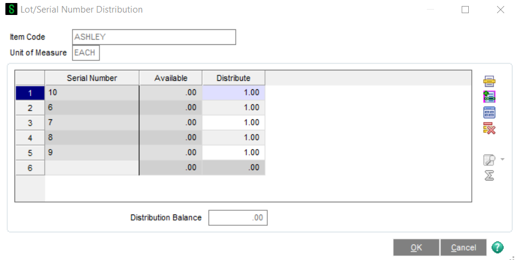
This DSD Enhancement to the Bill of Materials module adds the ability to assign multiple unique lot/serial numbers on the Product Entry Header. Standard Sage 100 only allows the entry of a Starting Serial Number or the production of a single Lot Number in an entry. This enhancement adds a Lot/Serial Distribution on the Production Entry Header for Lot/Serial Bills so that you can produce multiple Lot/Serial numbers in a single entry.
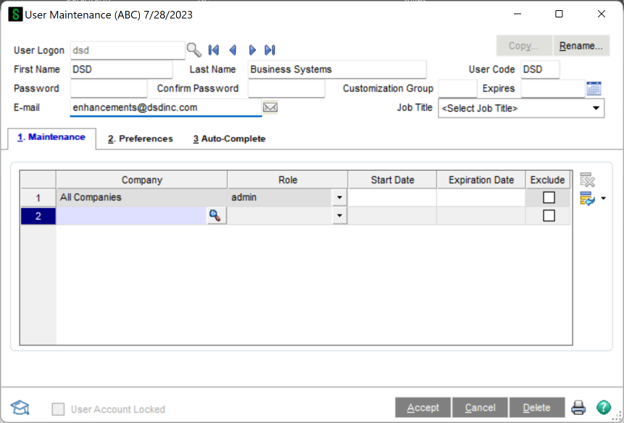
The DSD Enhancement enhances the Paperless Office Electronic Form Delivery process to allow you to assign the “From” Email Address as defined in User Maintenance for the Sage 100 User performing the printing task.
The B/R Transaction History enhancement allows Bank Reconciliation transactions, such as Checks, Adjustments, and Deposits, to be stored in a History File during the Purge process. Standard Sage 100 allows for purging of Bank Reconciliation transactions after the Bank Reconciliation Report is printed. Once this purge occurs, those transactions are no longer retained. With this enhancement, the purging process moves the transactions to a history file for future access.
A new B/R Transaction History Inquiry has been added to the B/R Main Menu. This Inquiry panel displays all transactions that are moved to history. The fields displayed on this History Inquiry Panel are identical to the fields displayed in Check, Deposit and Adjustment Entry, along with two new fields: Purge Date add Purge User (the user that ran the purge process).
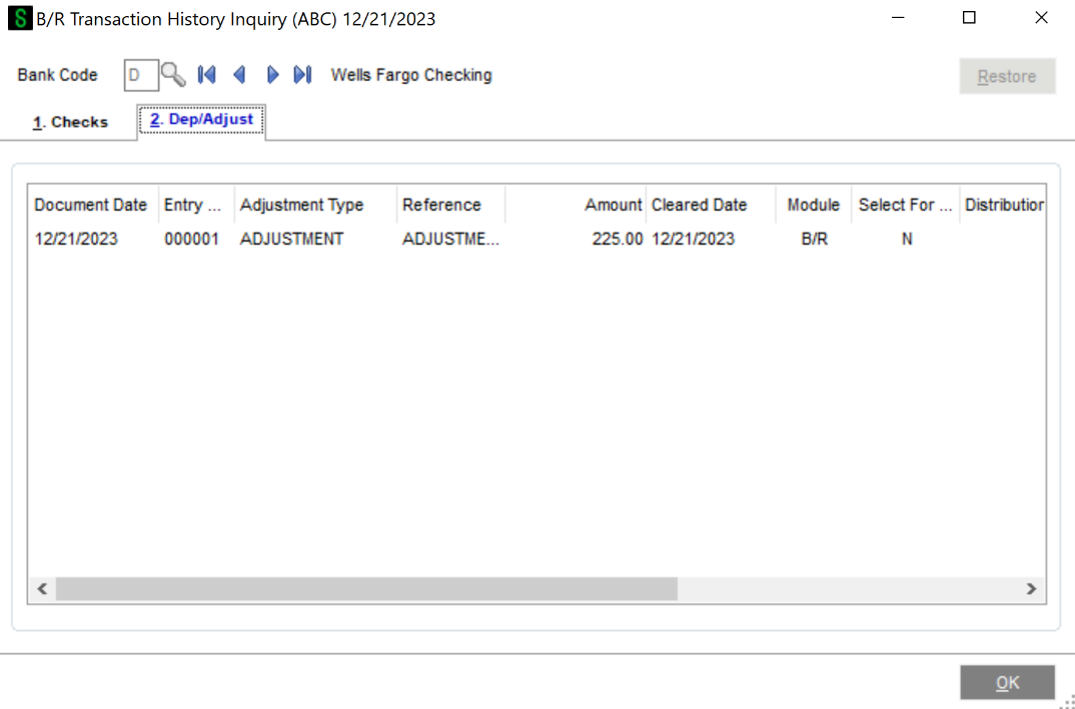
Additional features include:
- The user has the ability to “Restore” from history back into the Checks, Adjustments, and Deposit file. This allows the user to re-reconcile if a mistake was made.
- A Bank Reconciliation History Report is available to print from the new B/R Transaction History file.
- A Bank Reconciliation By Date Report is available, that allows the user to print a Bank Reconciliation Report based on a historical date.
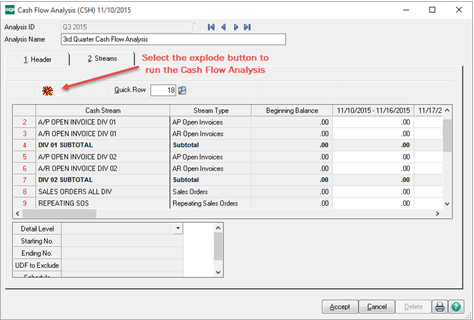
Cash Management and Forecasting is ideal for Cash Flow analysis, modeling and reporting. Sage 100 users now have the ability to define how the performance measurements are taken. Complete payment performance reviews for all customers and vendors, while also developing more precise cash predictions based on actual payment history, rather than payment terms. Features include:
- Integrates with Sage 100 Accounts Receivable, Accounts Payable, Inventory Management, Sales Order Processing, Purchase Order Processing and Payroll Processing.
- Perform payment performance reviews for all customers and vendors, and develop more precise cash predictions based on actual payment history, not on payment terms.
- Create expense and revenue projections by using historic seasonal fluctuations in product lines, products sold and recurring expenses such as utilities.
- Build cash flow models that may be “exploded” to create projected cash flow analyses on demand.
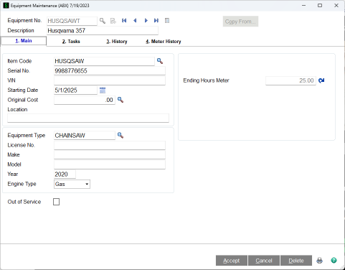
The Equipment Maintenance Module keeps your company up to date with the equipment it takes to operate your business on a day-to-day basis. Equipment Maintenance allows you to track maintenance tasks and assign items to these tasks, while tracking technician’s labor and time to complete tasks.