





















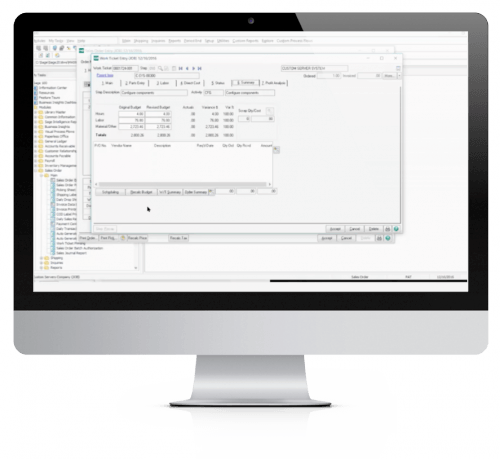
 Accounts Receivable InstaDocs for Sage 100 allows electronic documents to be stored, viewed and accessed within Sage 100 ERP.
The Documents Panel is embedded into various Sage 100 ERP Maintenance, Inquiry, and Data Entry programs. As each record is accessed, the documents that correspond to that record are displayed. The user has the ability to drag and drop documents, select documents to edit, and tag documents with unlimited keywords. Users can then search all stored documents based on those specific keywords. Master Search allows users to search all documents based on File Name, Keywords, and Document Source.
A/R Invoices and Statements can be automatically stored in PDF format within the appropriate Customer directory.
With InstaDocs Role Security enabled, you can define which users/roles can View, Open, Email, Delete, and Drag and Drop documents within the InstaDocs Documents Panel.
 Transforms Sage 100 Accounts Receivable from an Accrual Basis to a Cash Basis system. Invoices are expensed when Cash Receipts are entered and updated.
A/R Cash Basis (ARCB) for Sage 100 transforms the standard Sage 100 ERP Accounts Receivable programs from an Accrual Basis to a Cash Basis system. Revenues are recognized only when cash is received. Sales Tax can continue to be handled on an accrual basis, even if cash basis receivable is activated.
A new report prints Open Invoices by General Ledger revenue account.If a company is operating on a cash basis, General Ledger postings are not made when the Invoice Journal is updated. Instead, the detail is stored and posted when a cash payment is received. State sales tax is the only exception.*
Both Sales Order and Job Cost modules are fully integrated. There is also a utility feature built into the Accounts Receivable Sort Rebuild program that can be used to initialize the necessary Cash Basis files from existing Open Invoice information that were originally posted on an accrual basis.
This enhancement modifies Accounts Receivable to allow Invoice Entry, Cash Receipts Entry, Manual Check Entry, Inquiries and Report Printing in any currency.
Multi-Currency Accounts Receivable for Sage 100 ERP is invaluable for any company that performs Invoice or Cash Receipts Entry involving international or foreign Customers. Accounts Receivable has been modified to allow Invoice Entry, Cash Receipts Entry, Inquiries and Report Printing in any currency.
A Default Entry Currency and Activity Currency can be established for each Customer. Differences in payment amounts, caused by exchange rate fluctuations between the time that the Invoice is posted and when it is paid, are posted to a user-defined (by division) General Ledger Account. Bank Codes have been modified to allow the user to specify the Banks Default Currency Code. This module integrates fully with the Multi-Currency Sales Order Processing module, and it must be used with the CUMC Multi-Currency module. This is a member of the DSD Multi-Currency system for Sage 100.
Standard Sage 100 only allows for numeric Divisions, which means only division numbers 00-99 are available.
This enhancement changes the Accounts Receivable Division Number to an alpha-numeric field, allowing division numbers 00-ZZ.
A/R Alphanumeric Divisions (ARAD) for Sage 100 changes the Accounts Receivable Division Number to an alphanumeric field, allowing 00-ZZ. Standard Sage 100 ERP only allows for numeric Divisions, which means only Division Numbers 00-99 are available.

This enhancement allows future Revenue and Deferred Postings to the General Ledger to occur during the A/R Invoice Update.
A/R Invoice Data Entry has been enhanced to have two new fields: Number of Months and Start Date. When these field values are entered by the user, future postings will occur on the same day each month, for the number of months specified, for each Miscellaneous Line Item that has a Deferred Revenue Account setup in Miscellaneous Item Maintenance.
During A/R Invoice Update, if a Deferred Revenue Account exists in Miscellaneous Item Maintenance for a Miscellaneous Line Item, then the posting to Revenue that would normally occur is changed to post to Deferred Revenue, for the Posting Date. Future postings are then created as follows:
Debit to the Deferred Revenue Account for that Item as set up in Miscellaneous Item Maintenance.
Credit to the Revenue Account for that Item as set up in Miscellaneous Item Maintenance.
The amount posted for the “future” Debit and Credit are the Line Extension divided by the Number of Months.
The Customer Collections enhancement is designed for those companies that need to track collection history and call history by customer.
Call Codes may be setup and assigned on First, Second, Third, and Final collection call attempts. Track Collection History, print Call Lists and Collection Letters, and use the Customer Collection dashboard to view and update call history.
Additional Features:
- Define Past Due Threshold by Customer
- Assign Collection Users to Customers
- Dashboard displays which assigned customers are past due
- User-defined Collection Call Codes
- Maintain Info on Call Attempts
- Call List Printing
- Collection Letter Printing
- Credit Hold Utility
- Cash Receipts Update to remove Credit Hold
Number of Years in Business, Number of Years as a Customer, Average Days Past Due, Average Number of Invoices by Month, Average Days Outstanding, and Average Balance. Credit Insurance can also be set by customer to define Credit Limit. Recalculation can occur on a Customer-by Customer Basis, or by Utility or Cash Receipt Update based on Number of Days to recalculate. Reporting is available to review Credit Limit History by Customer.
Additional Features:
- Set Default Credit Limit for new Customers
- Include Credit Insurance in Credit Limit Calculations
- Set Number of Days to Recalculate
- Use various criteria in Credit Limit Evaluation
- Select which Evaluation Criteria to use by Customer
- Review Credit Limit History by Customer
- Recalculate Credit Limits by Customer, Customer Range or during Cash Receipts Update
Cash Receipts By Invoice for Sage 100 allows the user to enter A/R Cash Receipts by Invoice Number / Customer Number, rather than by Customer Number / Invoice Number. As the user inputs an Invoice Number to be paid, the system will find the Customer Number that has that Open Invoice Number.
If there is more than one Customer Number with that specific Invoice Number, then the first Customer Number found will become the Default Customer Number. The user will have the option of changing the Customer Number at that point. Once the Invoice Number and Customer Number are established, then Cash Receipts by Invoice program behaves as the standard Cash Receipts Entry program does.
ARCS Customer Search during Customer O-T-F Entry for Sage 100 has been designed to eliminate duplicate customer creation. After the user enters all of the information for a new customer on the O-T-F Customer Maintenance panel, the Customer Master file will be scanned using the Customer Name, Address 1 & Phone Number for an exact match.
A grid/listbox will display ALL matches and allow the user to continue with the new entry or choose a displayed customer
A/R Invoice Date as Posting Date for Sage 100 posts G/L Daily Postings from the A/R Invoice Register Update using the A/R Invoice Date. During the A/R Invoice Register Update, the A/R Invoice Date is used for the G/L Daily Posting file Posting Date rather than the Accounts Payable Posting Date. There will be one balanced G/L Posting for each unique Invoice Date in the file.
This enhancement can be used with the A/R Option for G/L Postings ‘Invoice Register in Detail’ checked or unchecked.
A/R Item History (ARIH) for Sage 100 adds a new Item History panel to the A/R Customer Maintenance and Inquiry programs that displays Items Sold to the Customer. This new panel defaults to display the items sold to the customer from the A/R History File in Invoice Number order, but the information can be sorted by any of the column fields: Inv Date, Invoice No, Source, Item Code, Prod Line, U/M, Quantity, Unit Price or Extension.
Multiple search options have been added to this new panel to enable display by a range of Invoice Dates, Invoice Numbers, Item Codes, Product Lines, and Job Numbers (if Job Cost is installed). A total of all items in a range displayed. Invoice drill-down is also available on this new panel.
Listing can be from A/R, S/O or J/C Line Item information if these modules are installed on your system. One can include or exclude Miscellaneous Line Items, or display only Misc. Items.

Expanded AR/SO Invoice Number (ARIN) for Sage 100 has expanded the Invoice Number fields in the following modules to 12-characters. All Data Dictionaries, Entry Panels, and Reports have been\ modified accordingly.
- Accounts Receivable
- Sales Order
- Accounts Receivable
- Sales Order
NOTE: Although the Bank Reconciliation and General Ledger modules integrate with Accounts Receivable and Sales Order, these modules are not affected by the increased Invoice Number.
This DSD Enhancement adds a new Simplified Item Pricing Screen to AR Customer Maintenance. This new Maintenance/Inquiry screen will allow the user to view or maintain all Item Pricing records for that customer in one screen.
Adds ability to use Ship-To Addresses on A/R Invoices and Repetitive Invoices.
This Extended Solution to the Accounts Receivable module adds a new option to create minimum charge invoices based upon one of three enable options: A/R History, A/R Activity, or the Customer Minimum option. Please refer to the Operations Section for an explanation of each of these options.
You must have the A/R Setup option ‘Retain in Detail’ set to ‘Yes’ in order for the A/R History option to function.
This Extended Solution to the Accounts Receivable module adds a new option to create minimum charge invoices based upon one of three enable options: A/R History, A/R Activity, or the Customer Minimum option. Please refer to the Operations Section for an explanation of each of these options.
You must have the A/R Setup option ‘Retain in Detail’ set to ‘Yes’ in order for the A/R History option to function.
Allows you to set a customer’s Credit Hold flag by printing the Aged Invoice Report. A customer will be flagged as on Credit Hold if he or she has either exceeded his or her credit limit or has an A/R account balance greater than zero on or before the Credit Hold Aging Cutoff Date.
Allows you to edit selected portions of the Accounts Receivable Invoices from Invoice History Inquiry.
Allows you to maintain default form codes in A/R Division Maintenance for A/R Statements, A/R Invoices, Sales Orders, S/O Picking Sheets, S/O Invoices, S/O Packing Lists, Shipping Labels and COD Labels.

This import utility creates Cash Receipt entries directly from an ASCII file. The entries can be maintained and deleted through Cash Receipts Data Entry.
This Extended Solution modifies the credit checking process in Accounts Receivable Invoice Entry, Sales Order Entry, Sales Order Invoice Entry, RMA Entry and RMA Receipts Entry. Two new Module Options have been added: ‘Allow Credit Terms Override’ and ‘Allow Credit Hold Override’. The existing Module Option to ‘Allow Credit Limit Override’ will now check only the status of the credit limit.
This Extended Solution also adds a log file to track which orders/invoices have experienced Credit Hold, Credit Limit, or Credit Terms overrides as well as recording who performed the override.
Allows the entry of a Customer and Job that are not related in the Job Masterfile.
Allows the entry of a Customer and Job that are not related in the Job Masterfile.
This Extended Solution provides a method for creating Sales Tax Schedules via a Sales Tax Automation Import program which uses the CCH ZIP Sales Database. These Tax Schedules are then associated with Zip Codes.
Utilities are provided for updating Customers, Ship To Addresses, A/R documents and S/O documents with these Tax Schedules based on their Zip Code. This Extended Solution affects only the Accounts Receivable and Sales Order modules.
This Extended Solution to the Accounts Receivable module adds a Discount field to the AR Sales Tax file. When an Invoice has a terms discount applied to it in Cash Receipts, Cash Receipt Journal update writes a record to this field. This record will be for calculated reduction of the sales tax.
Adds security by Division to specific locations in Sales Order and Accounts Receivable. Users without clearance will not be allowed to enter Division Codes in specific Reports, Data Entry, and Inquiry Screens. You can choose which users should be included or excluded in the Setup for this Extended Solution.
Adds the ability to set up security for Customers or Salespersons, by user ID, for Inquiry options in the Sales Order and Accounts Receivable modules. Only authorized users or users not entered in the security file will be able to access specified Customer or Salesperson data.
Additional functionality exists if Extended Solution SO-1032: Multiple Customer Deposits on a Sales Order is installed and enabled.
This Extended Solution performs a customer specific segment substitution to the Sales Account during A/R Invoice Entry. The segment value will be defined in an A/R Customer User Defined Field. The Custom Office module must be activated and you must specify a value other than ‘None’ for the A/R Setup option ‘G/L Segment to Post A/R Sales’ in order for this to function.
Allows you to designate an Accounts Receivable G/L account number on each Invoice. This will be used in place of the Receivables account specified in A/R Division Maintenance.
Sage Extended Solution CM-1001, Enhanced Custom Office User Defined Fields must be installed and enabled in order to set up a G/L Account type UDF.
Adds ability to add notations to A/R Invoice History Invoices.
This DSD enhancement allows you to distribute Accounts Receivable Cash Receipts discounts to more than one General Ledger account.
This Extended Solution to the Accounts Receivable module synchronizes Customer Maintenance information across multiple companies.
This Extended Solution adds an option to Accounts Receivable Commission Edit Maintenance which allows you to change the commission amount to $0.00 if an invoice is not paid within a specified number of days.
The Accounts Receivable setup option ‘Commissions Paid on Paid Invoices Only’ must be checked.
This DSD Extended Solution to the Accounts Receivable module adds the AR Invoice History Header UDF to Invoice History Printing selection. It also allows the selected invoices to be printed in Customer Name order.
The Custom Office module must be activated.
To access additional functionality, AR-1070, Invoice History Edit must be installed and enabled.
