Advanced Rebuild Utility Now Available for Sage 100
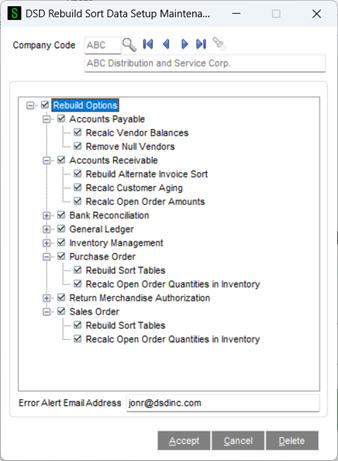
A new “DSD Rebuild Sort Data Setup Maintenance” menu item is added to Library Master / Utilities that allows setup of the rebuilds by Company Code. All rebuild tasks from all Sage 100 modules have been added to this setup, and you can choose which tasks can be performed for that Company Code. There’s an additional field that allows entry of an Email Address to email if any issues occur (such as locked records) when the utility is run.
Once you setup the Company Code, you can then add the utility as scheduled task, or you can run it immediately from the new menu option in Library Master / Utilities called “DSD Rebuild Sort Data.
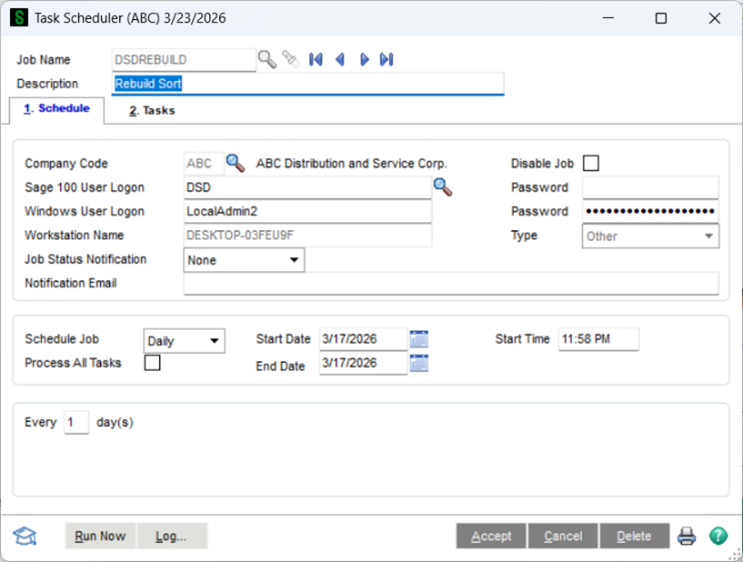
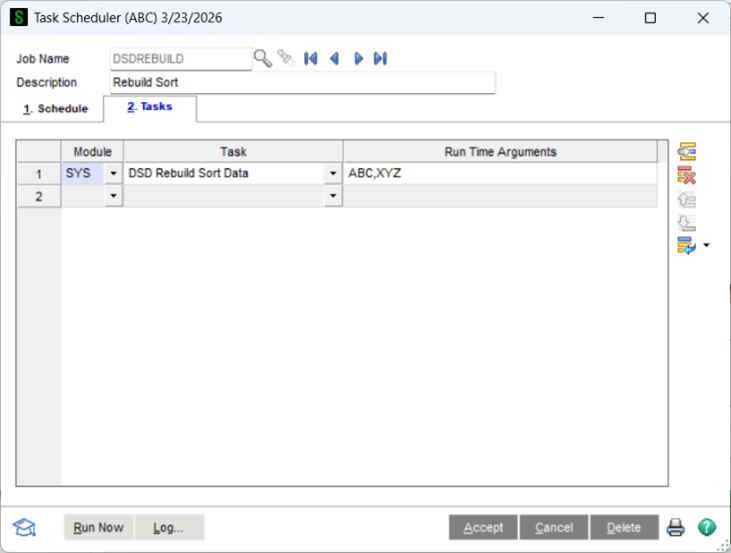
To schedule the rebuild, you can access the Sage 100 Task Scheduler from the Library Master / Main menu and fill in the appropriate fields for the scheduled task, including the time of day to run the rebuild automatically. You have the option of having the scheduled task run for ALL company codes, or you can give it a list of companies.
As mentioned, the standard Sage 100 Sort Rebuild lock files prior to the rebuild, and this is an issue if a user has a maintenance or data entry menu option open.
The biggest benefit of the DSD Rebuild is that it does NOT lock data files to do the rebuild. Instead, the records of the file are read, and if a field needs to be recalculated for that record (such as the Open Order Amount for a Customer record), only then is the record EXTRACTED to make the change. If the record is in use by another process, the records will be skipped, and the log file that is generated will show a Warning that that specific record is locked. This valuable feature minimizes the chances of a failed rebuild.
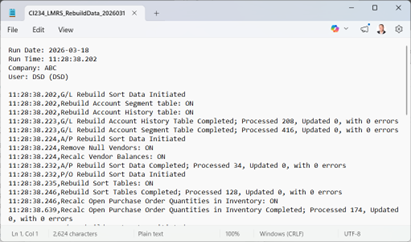
As the rebuild runs, a Log file is generated that includes important information about the rebuild, including date/time of execution, what files were rebuilt successfully, what records were changed/updated, and what records had a failure do to records in use.
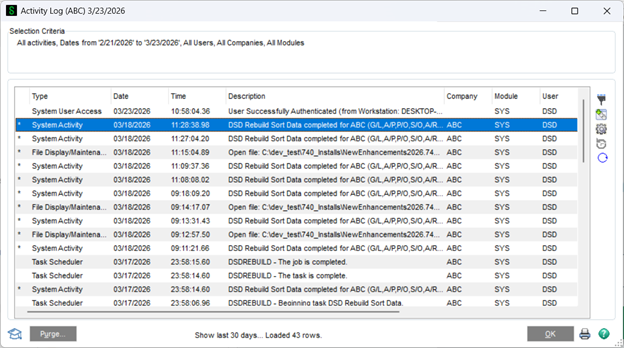
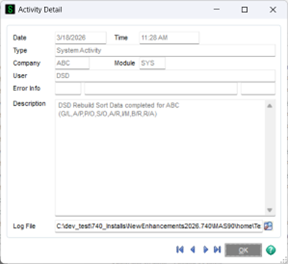
After the rebuild has completed all tasks, an entry into the Activity Log is written with the Log File attached.