Top 10 New Features in DSD InstaDocs for Sage 100
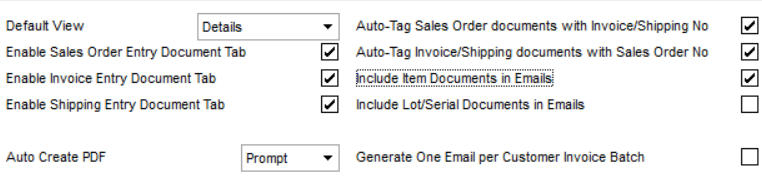
New checkboxes have been added to the InstaDocs Options for Sales Order and Purchase Order that allow for additional Auto-Tagging of documents that are dropped into the InstaDocs Panels. You now have the ability to drop documents onto an SO Invoice and the document will be auto-tagged with the Sales Order Number so that it shows the document on the associated Sales Order. The same feature now exists for documents added to a P/O Receipt of Goods, where it will automatically tag it with the Purchase Order Number.


A new Generate One Email per Customer Invoice Batch checkbox has been added to the Sales Order InstaDocs Options. Enable this feature to generate one email per customer in Sales Order Invoice printing for paperless office (instead of one email per invoice). An additional checkbox, One Email per Invoice Batch, has been added to Customer Maintenance, and must be enabled per customer for this feature. Invoice History Printing also has this feature to generate one email per customer.

A new Use Reserved Word Tag checkbox has been added to the InstaDocs Options. Enable this feature to use a reserved word that is Tagged to specific documents that you want emailed to customers/vendors with the feature Attach Tagged Documents to Email Deliveries.

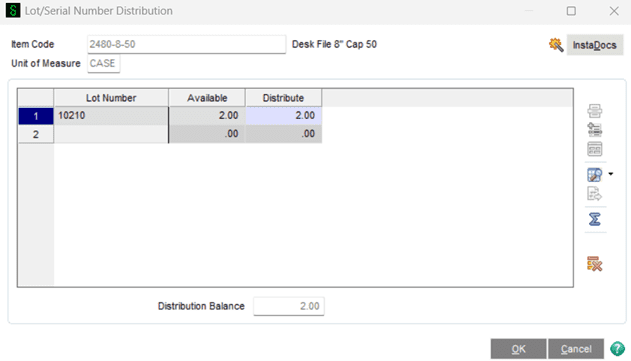
A new CIDM Lot/Serial InstaDocs module has been added to the InstaDocs suite of products. This new enhancement is an extension to the IMDM Inventory InstaDocs, and allows for document management for Lot/Serial Items in the Inventory module. The Documents Panel is embedded into Lot Serial Number Distribution (all data entries), Item Maintenance / Inquiry, and Lot/Serial Inquiry. The documents that are dropped into the InstaDocs tab are saved into the Item’s InstaDocs folder, and then auto-tagged with the Lot/Serial Number.
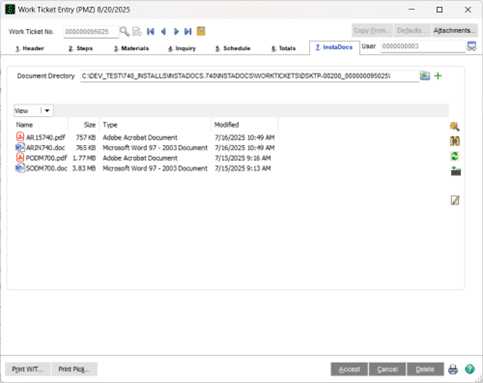
A new PMDM Production Management InstaDocs module has been added to the InstaDocs suite of products. This new DSD enhancement allows for document management In Work Ticket Entry, Work Ticket Transaction Entry, and Work Ticket History Inquiry. The Documents Panel is embedded into these menu items, and the documents are stored by Work Ticket. Work Ticket Printing has been enhanced to save the printed Work Ticket into the InstaDocs folder as a PDF.
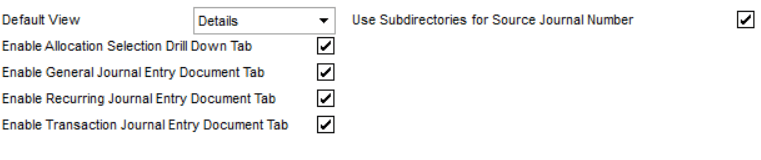
A new Use Subdirectories for Source Journal Number checkbox has been added to the General Ledger InstaDocs Options. Enable this feature to automatically create a subdirectory for the Source Journal + Entry Number under the G/L InstaDocs Directory when a document is dropped into the InstaDocs Tabs in the G/L Data Entries. This allows for documents to be separated by Entry Number in addition to Source Journal.
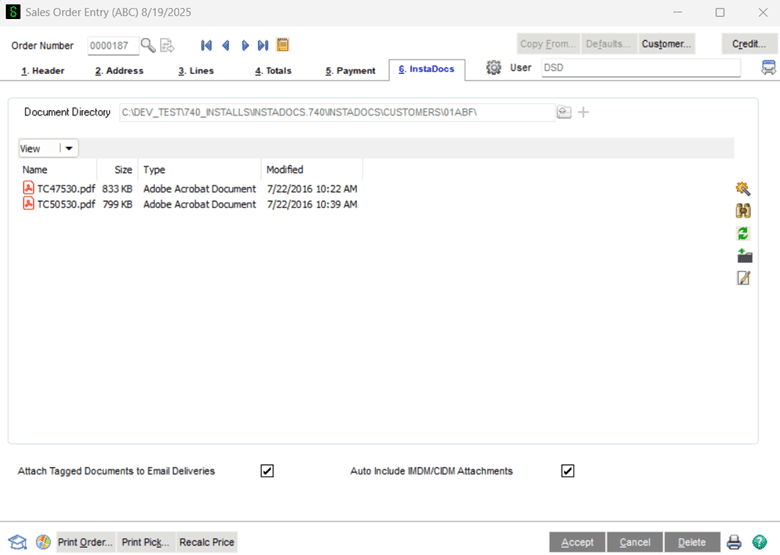
A new Auto Include IMDM/CIDM Attachments checkbox option has been added to the Main Tab in Customer Maintenance for Paperless Electronic Delivery. When enabled, InstaDocs documents for items can be included in Electronic Delivery for Sales Orders and Invoices. The InstaDocs Options for Sales Order allows for enabling of this feature for documents related to both Items and Lot/Serial Numbers. Sales Order Entry and S/O Invoice Data Entry now have an option to include Item documents on the Electronic Delivery of that entry. Reserve Word Tags can be used to identify which Item Documents are included in the delivery.

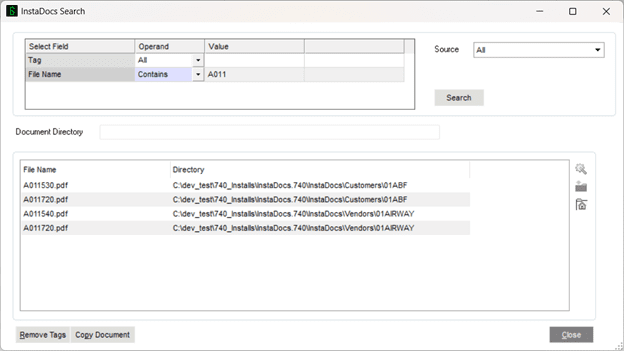
The InstaDocs Super Search Panel in all InstaDocs modules now has better search capability for Document Name search. If you select a Document Name to search, the Super Search will now search for the file name in the directories, regardless if the document is tagged.
A new button has been added to all InstaDocs Panels that allow for renaming of a document. Simply select the document on the InstaDocs Tab, and then select the Rename Button to rename the file in the associated directory.

Both Scanco and ScanForce now have integration with DSD InstaDocs for Image Capture in their Warehouse Management solutions. You have the ability to capture an image (picture) of an item and automatically save the image file into InstaDocs during Purchase Order and Sales Order Processing. Be sure to contact Scanco or ScanForce for more information on this exciting new product!