
Sage Fixed Assets: Depreciation, Planning, Tracking, and Reporting
Explore the four modules in Sage Fixed Assets that allow you to capture, track, transfer, and depreciate your fixed assets with cost-saving, risk-reducing accuracy.
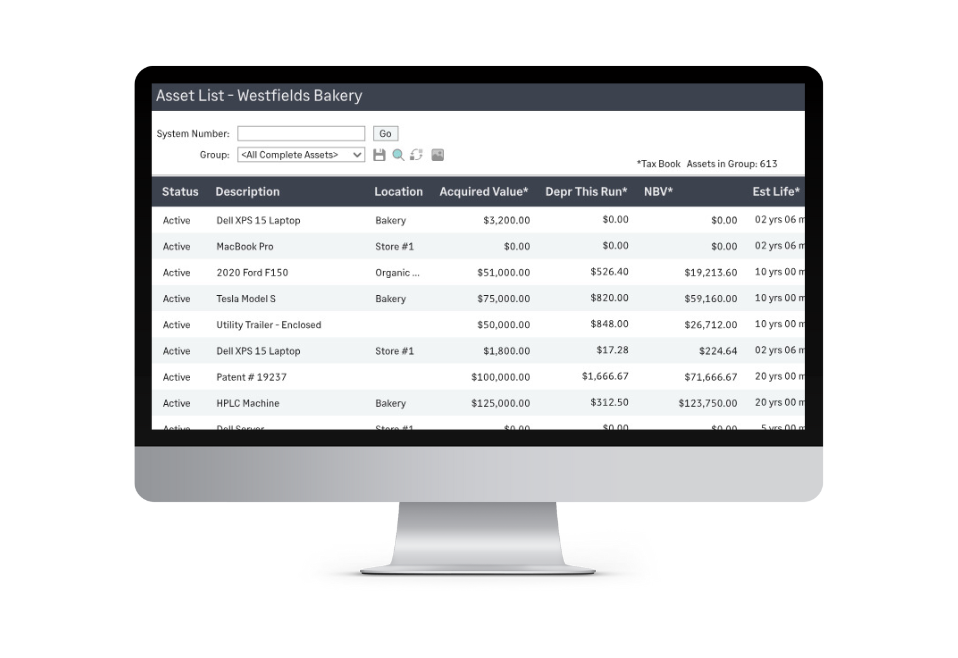
Sage Fixed Assets Modules
Depreciation
Prepare for year-end financials, store key asset data, and efficiently allocate costs.
Planning
Track the status and budget of your projects without missing a single detail.
Tracking
Keep track of the items you use in your organization.
Reporting
Extend your reporting through customization and advanced formatting for charts and graphs.
Sage Fixed Assets Depreciation
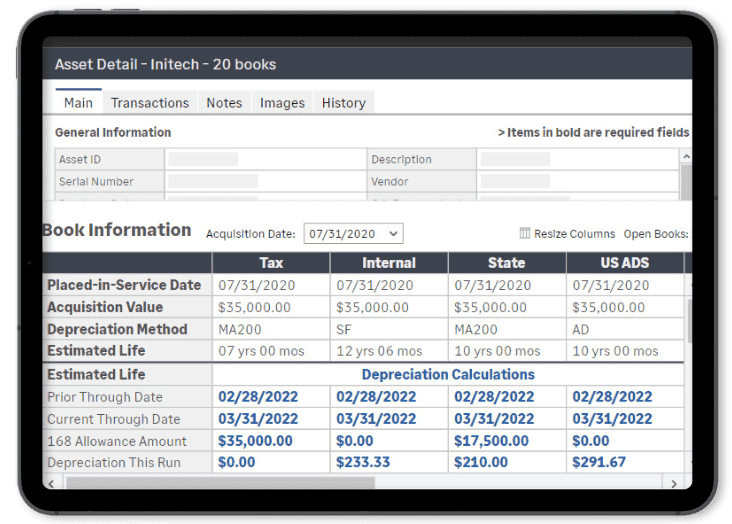
Sage Fixed Assets Depreciation gives you the flexibility to calculate asset depreciation and manage fixed asset lifecycles with ease. With over 50 depreciation formulas that fit your business needs and flexible configurations, you have the power to keep better control of your assets.
With the import/export assistant, you can easily import your existing data into the Sage Fixed Assets–Depreciation database. In addition, by utilizing built-in links for Sage General Ledgers or adding the Universal Link, you can integrate with virtually any General Ledger solution.
Sage Fixed Assets–Depreciation provides an all-inclusive solution for recording the data for each asset, including a notes field with a time and date stamp for recording transactions, and the ability to attach photos and documents.
With the wealth of features offered including customizable data fields with drop-lists that are fully flexible but not pre-defined, as well as the ability to organize and view only the assets you’re interested in, you can build your Sage Fixed Assets–Depreciation solution work the way you want to.
Sage Fixed Assets–Depreciation includes the following tax forms and worksheets: 3468, 4255, 4562, 4626, 4797.
Yearly tax updates ensure SFA defaults the maximum allowed first-year bonus rate for the tax book when adding new assets) and features added to help taxpayers comply with the significant changes made by the TCJA including:
- Section 199A Report to calculate the unadjusted basis of qualified assets for the new 199A deduction
- Ability to change the depreciation method and/or estimated life of multiple assets simultaneously for tax and financial accounting needs, or to run ‘what-if’ depreciation scenarios in a custom depreciation book
- Two new ADS straight-line depreciation methods added to support Code Section 163(j) compliance
Sage Fixed Assets–Deprecation comes standard with over 30 reports including:
Allocation Percentage
Annual Activity
Annual Projection
Asset Basis
Capital Assets Notes Disclosure
Change in Capital Assets
Depreciation Adjustment
Depreciation Expense
Depreciation Summary
Disposal/Partial Disposal
Fixed Asset Summary
General Ledger Posting
Interest on Replacement Value
Mid-quarter Applicability
Monthly Projection
Net Book Value
Period Close Summary
Property Tax–Summary and Detail
Quarterly Acquisition
Replacement Value
Transfer/Partial Transfer
Sage Fixed Assets Planning
To get the most out of your fixed assets, you have to account for everything. Sage Fixed Assets–Planning is designed to do just that, allowing you to manage cost of multiple projects at a time, regardless of the type or size. And when the assets are ready for use, they can easily be created in Sage Fixed Assets– Depreciation.
Track Everything you Need
Track all of your project details including status, contacts, notes, and all the financials–plus monitor both physical and financial completion of projects
Customize Fields
Customize fields to your organization’s needs with over 45 user-defined fields covering multiple levels of detail.
Real-Time Insight
Look at your organization across all projects at the project, line-item, and transaction level as well as at-a-glance status updates with built-in reports.
Custom Access Profiles
Create custom access profiles with built-in security settings for specific product features and projects.
Handle Expenses Easily
Handle expenses easily with the ability to copy, move, and split line items.
Import Information
Import invoices and other purchasing information from your Accounts Payable system.
Sage Fixed Assets Tracking
Sage Fixed Assets Tracking makes keeping track of the items you use in your organization much easier. With automated inventory functionality and built-in reconciliation, never lose track of your assets again.
Reconcile the Status of Assets
Reconcile the status of your assets–for example, missing, lost, or stolen goods–against the current asset ledger.
Define Security Profiles
Define security profiles for individual users to ensure only those allowed to change the data are able to.
Utilize Easy Tracking Capabilities
Utilize optional hand-held devices and barcode labels for easy tracking in any environment.
Report Crucial Information
Report on all the crucial information you need for keeping track of your fixed assets, including which have been transferred, inventory exceptions, and duplicate tags
Check Assets In and Out
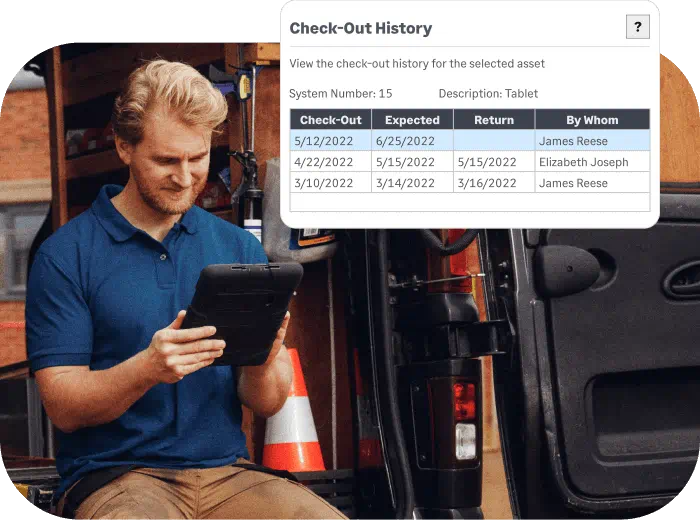
Check assets in and out to easily keep track of who has which item, receive alerts when checked out assets are overdue, and see the history associated with each asset.
Improve Asset Inventory Process
Speed up the asset inventory process so you can conduct inventories more regularly so you can ensure your tax liabilities and insurance are always up to date.
Sage Fixed Assets Reporting
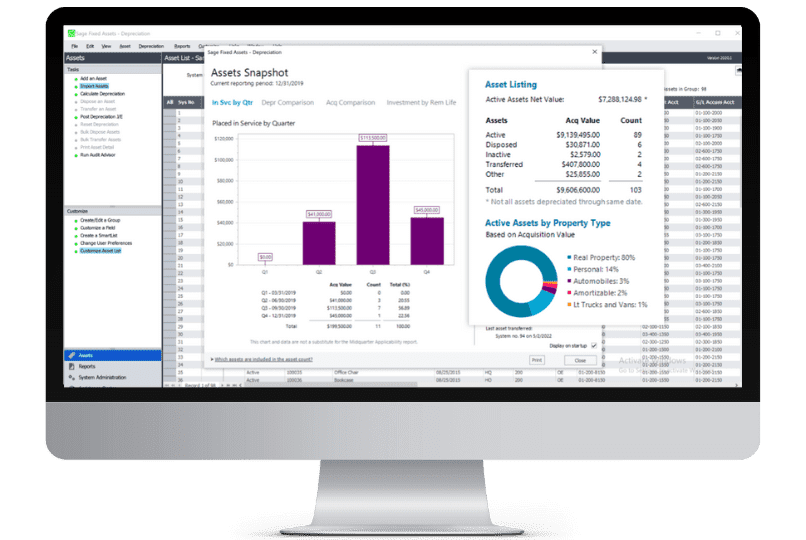
Sage Fixed Reporting allows you to create a variety of custom reports. Extend your reporting through customization and advanced formatting for charts and graphs.
- Easily add or remove columns from existing reports to generate custom reports based on your business needs
Experience the accounting benefits of our fixed assets software
Maximize tax savings
Stay compliant with IRS regulations with our annual federal tax compliance updates. Sage Fixed Assets depreciation module includes built-in tax forms and worksheets including 3468, 4255, 4562, and 4797. Sage Fixed Assets includes over 300,000 IRS tax and GAAP rules!

Reduce operating cost
Budget and track all the costs of business projects before they become fixed assets. Project the depreciation of your fixed assets lifecycles based on various scenarios. Keep track of entries with automatic timestamps to reduce risk and tax penalties.
Simplify your inventory management
Sage Fixed Assets — Tracking and the free Scanner app make inventory management easier and more efficient. Select from one of our two popular Unitech Android OS-based mobile devices below or use the device of your choice. The Scanner app works with any handheld Android OS-based device to scan most barcode types, including QR codes.
- Wirelessly scan physical assets’ barcode tags and send the results into the Sage Fixed Assets—Tracking application
- Download and work multiple inventory lists remotely
- Enter or edit asset specifics like description, location, condition, and serial number
- Add new assets and attach a picture right from the app
The PA760 is a rugged scanner featuring the robust Android OS. It comes with the GMS & AER certification, making even your toughest workdays easier. It is ideal for a variety of applications including inventory control in warehouse, inbound and outbound management in the retail industry, parking management and facilities inspection in field service, and flight ticket checking and mobile POS system in transportations.
Sage offers a variety of standard durable, high-quality adhesive asset labels to extend the power of your Sage Fixed Assets—Tracking solution and make the inventory process easier.
Available in rolls of 100. Minimum order of 500 labels is required (Five 100-label rolls). Minimum quantity for custom labels may vary. Contact out team for details.
The Unitech EA630 is a 6-inch rugged mobile smartphone offering 80% screen to body ratio, featuring versatile functionality with powerful data collection. Specially designed for portability, the EA630 is combined with compact and durable design that makes it an ideal tool to increase higher efficiency for applications in the retail, hospitality and light-duty field service.